
Catch the minutes your phone drops.
A Mac menu bar app that fills in the minutes of Libre glucose your phone misses while it sleeps.
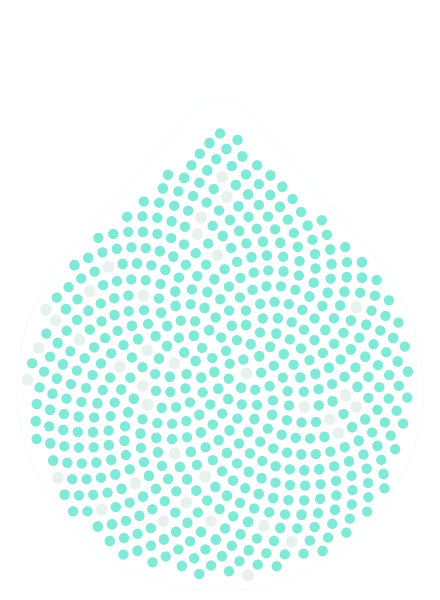
36 kept by LibreLinkUp About one a minute kept by CGM Relay
An example night, 22:30 at the bottom to 07:30 at the tip. Point atTap any minute.
Set up once. Then forget it’s there.
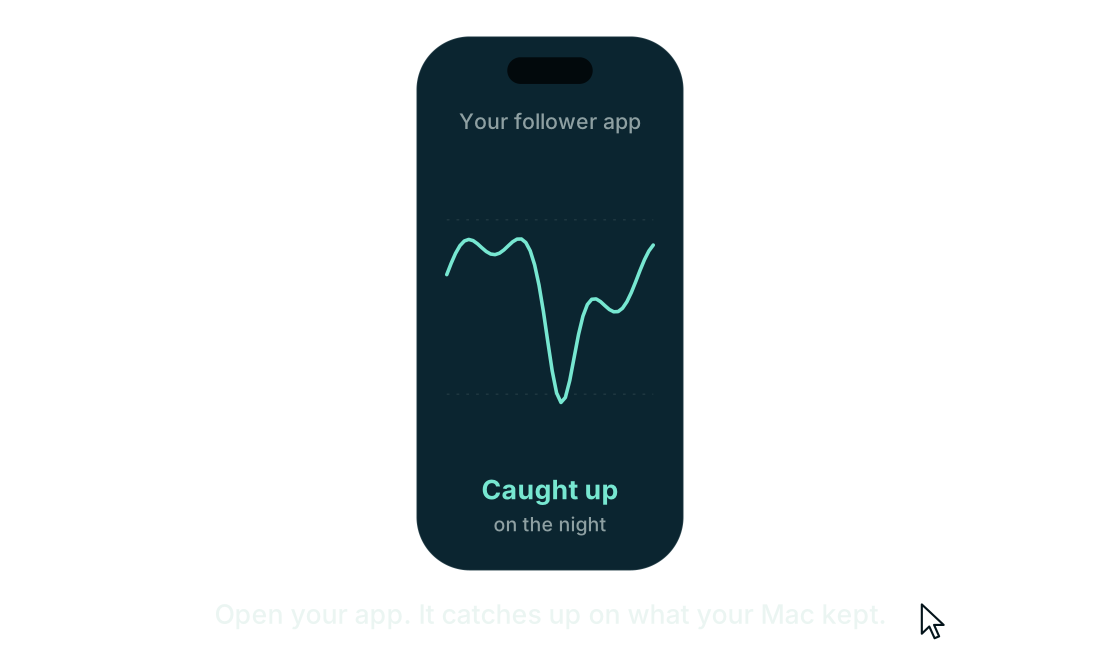
One night, seen from your phone and from your Mac.
- Your phone locks, and the app following your sensor goes to sleep with it.
- LibreLinkUp keeps one reading every 15 minutes. The minutes in between are gone, and the dip just after two goes with them.
- On your Mac, CGM Relay kept asking, about once a minute.
- Open your app whenever you like. It catches up on the minutes it missed.
Where your readings go.
Your phone is locked, but your Mac keeps asking LibreLinkUp, about once a minute. Open your app and it all comes across at once.
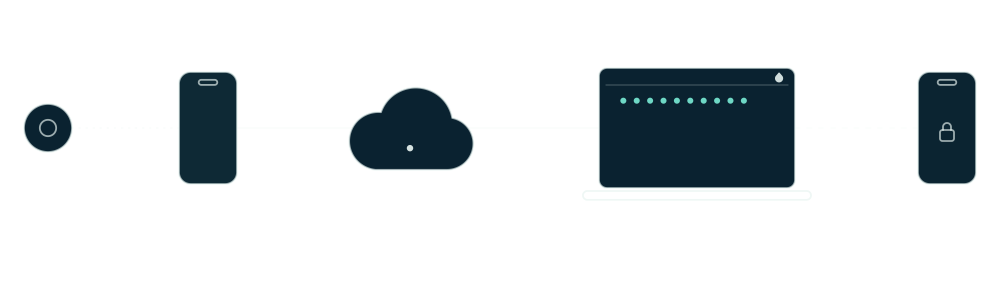
0 minutes waiting on your Mac
Let your phone sleep.
On its own, a follower app only keeps up if it stays awake all night and drains your battery doing it. CGM Relay does that job on your Mac, so your app can stay closed.
Your health data fills in too. xDrip4iOS can write the readings it catches up on to Apple Health.
Set up in a couple of minutes
Four steps, the first time you open it.
Sign in
With your LibreLinkUp email and password, checked with LibreLinkUp before anything is saved.
Reach your phone
With Tailscale, one click gives your phone a private HTTPS address, home and away. On your own Wi-Fi, each phone installs a certificate once.
Connect your app
Scan a QR code from xDrip+ or LoopFollow, or open a one-time pairing page on your phone for xDrip4iOS and Nightguard.
Open at Login
So it’s back on its own after your Mac restarts. Then it lives in your menu bar.
Quiet until something needs you
The icon stays plain while readings are fresh, like the rest of your menu bar. Amber means a reading is late, red means something stopped, and the menu tells you what to do. Pick a state to see it.
Readings are current: the icon stays plain, and the menu shows the latest reading.
Every setting, one click from the menu bar
Try it. Pick your follower app and the steps change with it. Switch the units in General and the menus on this page follow.
The code here opens the download page. On your Mac it sets up your app.
This account is checked every minute for new readings. Sign out to switch accounts.
Choose your follower app, then scan its code.
Scan with the iPhone camera. It opens a page where you copy each value into xDrip4iOS. The code lasts 10 minutes.
In xDrip4iOS
In Settings, set Master or Follower to Follower, and Data Source to Nightscout.
In Settings, open Sharing and Services, then Nightscout, and turn it on.
In URL, enter the address.
Leave API_SECRET blank.
In Token, enter the token.
Tap Test Connection and wait for the dot to turn green.
Login
Menu Bar
Shows the latest reading and its trend beside the icon while readings are current. Off, the icon alone tells you when something is wrong.
History
From 1 to 90 days. Lowering this deletes older readings; the app asks first.
Turn off Tailscale HTTPS to change the port.
Who can reach it
Tailscale HTTPS is on, so only Tailscale can reach the relay. Turn it off to change this.
No new readings
Sign-in
Turning either of these on will ask permission to send notifications. Alerts can be late or missed. They don’t replace the official Libre app’s alarms.
Automatic Updates
A downloaded update installs the next time CGM Relay quits, or when you choose Restart to Update. It never opens a window or restarts by itself.
Version
CGM Relay
Version 1.0.2
Fetches your LibreLinkUp readings every minute and serves them to Nightscout follower apps.
What’s NewCheck for Updates…
Copy Diagnostics
Report a BugSuggest a Feature
Diagnostics include CGM Relay’s running state, your settings, and follower activity, never an account, a password, an address, or a reading. Report a Bug and Suggest a Feature open a new GitHub issue with only this app’s version and build, your macOS version and your chip. Checking for updates contacts GitHub, which sees this app’s version and your internet address.
Safety Notice
CGM Relay is not a medical device. Readings and alerts can arrive late, go missing or be wrong. Don’t make treatment decisions from it, and keep the official Libre app and its alarms on for lows. It isn’t made by or affiliated with Abbott, and it comes with no warranty.
Works with the app you already use
To your app, CGM Relay looks like a Nightscout site, so any Nightscout follower can use it. Setup shows you where the address and token go.
- iPhone
- xDrip4iOS, LoopFollow, Nightguard and many more
- Android
- xDrip+ and many more
Only one thing should follow your LibreLinkUp account. Once your app reads from CGM Relay, switch its own LibreLinkUp follower off.
Your readings stay on your Mac
They’re stored encrypted, and nothing can reach your Mac from outside until you choose how. Apart from these four, it talks to nothing.
- LibreLinkUp
- Your own account, to fetch your readings.
- GitHub
- Once a day, to check for a newer version. It sends the app’s version and, like any request, your internet address. Nothing about you or your readings. You can turn it off in Settings.
- Your phone
- Your follower app reads from your Mac with its access token, never through us.
- Tailscale
- Only when you click the button that turns it on.
Questions
Something else? Ask on GitHub.
Which sensors does it work with?
Any FreeStyle Libre sensor that shares its readings through LibreLinkUp. If someone can follow you in the LibreLinkUp app, CGM Relay can follow you too.
Does my Mac have to stay on?
Yes. CGM Relay can only ask for readings while it runs, so it needs a Mac that stays on, a Mac mini for instance, or a Linux server running it instead. With Open at Login on, it starts again by itself after a restart, and LibreLinkUp’s 15-minute history fills in the gap while it was off.
I use Android. Does it work?
Yes, through xDrip+. Scan the QR code that setup shows you, or set Nightscout Follower as the data source and put the address, with the token in front of it, in Nightscout Follow URL. The relay itself still runs on a Mac or a Linux server.
What does it cost?
Nothing. It’s free and open source.
How long does it keep readings?
30 days by default, and you can change that in Settings. They’re kept encrypted on your Mac, so a copied disk or a backup shows only timestamps.
What if my phone loses its connection?
CGM Relay sees only what LibreLinkUp has. If the phone running LibreLink is offline, those minutes reach LibreLinkUp, and then CGM Relay, later as 15-minute history.
Could it stop working one day?
LibreLinkUp has no official public API. CGM Relay uses the same endpoints the LibreLinkUp app and other open source followers use, and those can change. If they do, it needs an update to keep up. Rate limits and outages it rides out by itself.
Can I make treatment decisions from it?
No. CGM Relay is not a medical device. Readings and alerts can arrive late, go missing or be wrong, so don’t make treatment decisions from it, and keep the official Libre app and its alarms on for lows.